Free Subdomains
Why use a messy port like
:25565 when you can have a clean address like myserver.deduck.de?
Learn how to set yours up for free.
1 Your Professional IP
By default, your server is reachable via an IP address followed by a port (e.g.,
123.45.67.89:25566). A subdomain replaces this technical address with a
user-friendly name. Deduck offers free .deduck.de subdomains
for every active server.
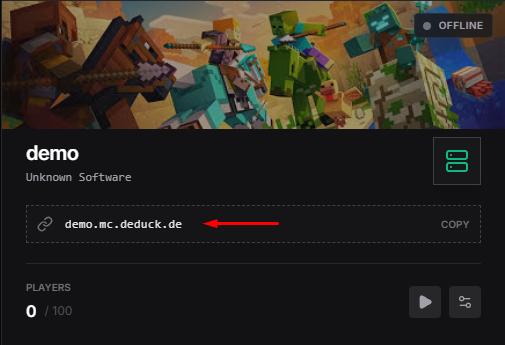
Example:
"Come join my SMP at funserver.deduck.de!"
2 Setting up your Subdomain
- Head to your Deduck Dashboard and click on your server.
- On the left sidebar, find the Network or Subdomains tab.
- Type in your desired name (e.g.,
coolcraft). - Select the domain from the dropdown (usually
deduck.de). - Click Connect and wait a few minutes for the DNS to propagate.
3 Troubleshooting: Connection Failed?
If you can't connect, don't panic! Here are common reasons:
DNS changes can take up to 30 minutes to reaching everyone. Go grab a coffee!
Double-check the spelling. Is it
.deduck.de or .deduck.com? We only use .de.
Fun Fact: Deduck subdomains are SRV-record optimized. This means Bedrock and Java players can both use the same clean address if your server has GeyserMC installed!
4 Custom Domains vs. Subdomains
A Subdomain is a part of our domain (e.g.,
coolserver.deduck.io). This is free and requires zero technical configuration
on your end.
A Custom Domain is one you purchase yourself
(e.g., play.myawesomehub.com). If you have a custom domain, you can point it to
your Deduck server IP. If you use a custom domain, we recommend using Cloudflare as your DNS provider to benefit from
their additional DDoS protection layers and global anycast network.
5 SRV Records: The Magic Behind Port-Free IPs
Every Minecraft server needs a port. By default, Deduck servers use ports like
25565 or 10042. Without a special DNS record, your players would
have to type coolserver.deduck.io:10042 to join.
When you use our subdomain system, we automatically create a **SRV Record** for you. This record tells the Minecraft client: "Hey, if someone tries to connect to `coolserver.deduck.io`, send them to IP `123.123.123.123` on port `10042`." This leads to a much cleaner and more professional experience for your community.
Sources & Technical References
"First impressions matter. Make your server easy to find and join with a subdomain."