
Server Optimization & Aikar's Flags
Master the art of high-performance Minecraft hosting. Learn how to eliminate lag, maximize TPS, and use Aikar's Flags effectively.
1. Introduction to Minecraft Performance
Minecraft is a notoriously resource-heavy game, primarily because its core engine was never designed for modern multi-core processors. It runs most of its logic, including entity processing, world ticking, and physics, on a single main thread. However, as of 2026, tools like Folia have changed the landscape by introducing regionalized multithreading.
2. Understanding Ticks Per Second (TPS) & MSPT
TPS is the heartbeat of your Minecraft server. A healthy server runs at 20.0 TPS. However, a more accurate measure in 2026 is MSPT (Milliseconds Per Tick). If your MSPT is under 50.0ms, your server is running at 20 TPS. MSPT gives you a clear window into how much "headroom" your CPU has before lag starts.
3. Aikar's Flags: A Legacy Standard
Aikar's Flags were once the gold standard for Minecraft JVM tuning. However, with the widespread adoption of Java 21 and Java 25, the standard G1GC Garbage Collector has become incredibly efficient. Many of the original flags are now redundant or handled automatically by the modern JVM.
Modern Startup Recommendation (Java 25+):
On Deduck, we automate this for you. For manual setups, simplicity is now better than complex flag strings:
-Xms[RAM] -Xmx[RAM] -XX:+UseG1GC -XX:+ParallelRefProcEnabled -XX:MaxGCPauseMillis=200 -XX:+UnlockExperimentalVMOptions -XX:+AlwaysPreTouch4. Folia: The Multi-threaded Revolution
For servers with 100+ players, Folia is the new standard. Unlike Paper, which runs the whole world on one thread, Folia uses "Regional Ticking". If you have players in different parts of the world, each group is processed on a different CPU core. This allows for massive scaling that was previously impossible.
5. Configuration File Optimization (Paper 1.21.11+)
Beyond JVM flags, you must optimize your server configuration files. Here are the most impactful changes in the 1.21.x era:
A. server.properties
- simulation-distance: Setting this to 4 or 5 allows chunks to be visible (view-distance) without ticking them, saving massive CPU.
- network-compression-threshold: Using 256 remains the sweet spot for modern high-speed connections.
B. paper-world-defaults.yml
Modern Paper versions have moved most settings to this new file structure:
- Entity Activation Range: This remains the #1 optimization. Lowering this for "misc" and "ambient" entities can double your performance.
- Despawn Ranges: Lowering soft and hard despawn distance prevents the server from tracking mobs that are too far away for players to interact with.
6. Identifying the Root Cause of Lag
To fix lag, you must first find it. We recommend using Spark.
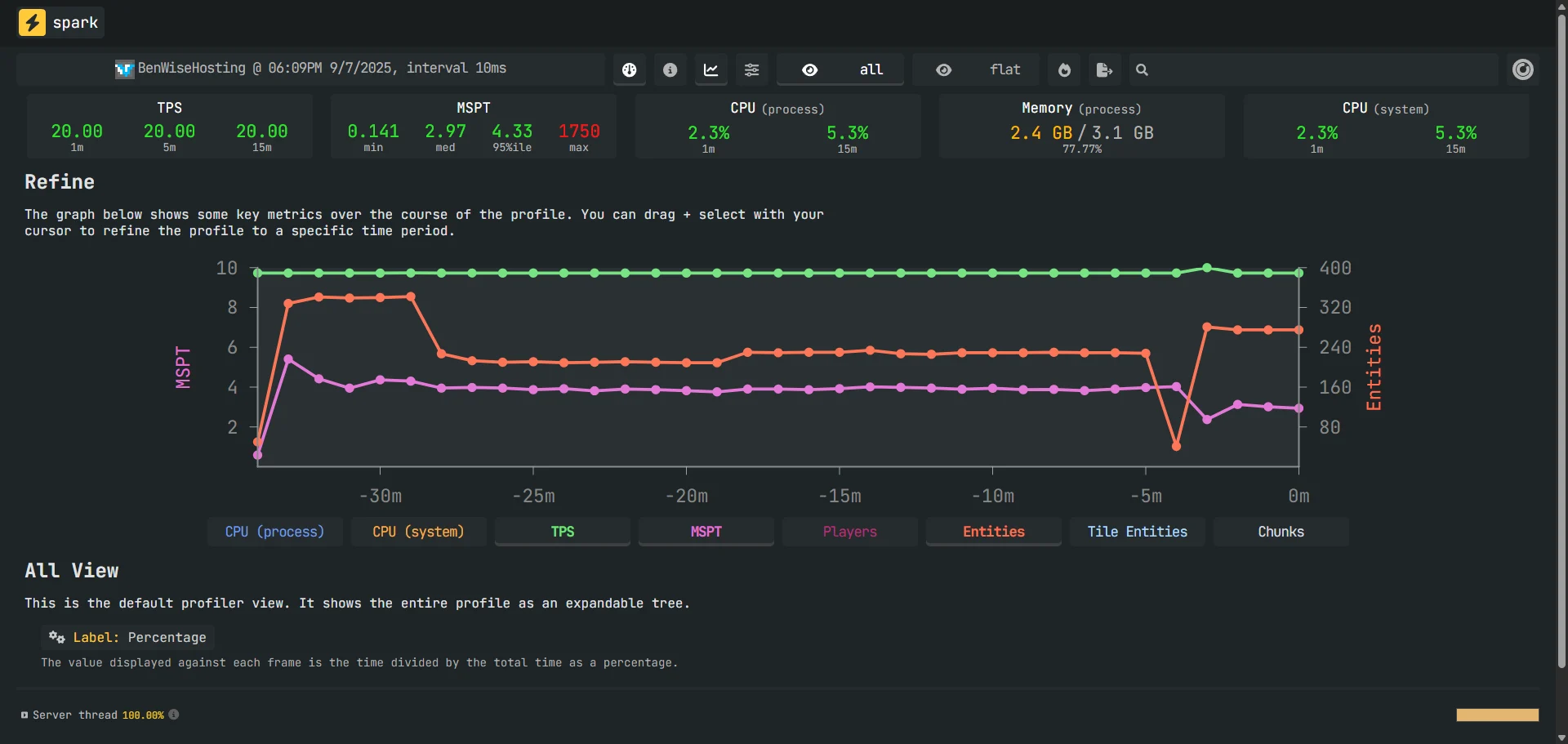
- Spark Sampling: Run
/spark profiler start --timeout 300. This samples your CPU usage over 5 minutes. The resulting web link will show you exactly which plugin or entity type is causing your MSPT to rise.