LuckPerms: Advanced Permissions
Take full control of your server roles and player abilities. Learn how to use the industry-standard permissions plugin effectively.
1. Why LuckPerms? The 2026 Industry Standard
Management of a Minecraft server's permissions is its most critical security layer. In 2026, LuckPerms remains the undisputed industry standard, having successfully navigated the transition to Java 21/25 and the multi-threaded environments of Folia. Unlike legacy plugins (PermissionsEx or GroupManager) which utilized inefficient internal storage models, LuckPerms uses a modern, high-concurrency architecture that ensures your server never lags when a player’s permissions are checked.
2. Core Concepts: Groups, Tracks, and Nodes
Precision in permissions is the difference between a functional server and a security breach.
- Nodes: The smallest unit of permission. In 2026, many plugins use "Internal Nodes" that aren't public but control deep logic. Node formatting is strictly hierarchical (e.g.,
essentials.warps.spawn). - Groups & Inheritance: This is where most owners make mistakes. Inheritance is a "Parent-Child" relationship. A "Moderator" group should be a child of "Admin," inheriting all baseline nodes.
- Weight: Inheritances can be weighted. If a player is in two groups that provide different chat colors, the group with the higher **weight** (e.g., 100 vs 10) will override the other.
- Tracks: The logical progression for players. Essential for RPG or Factions servers (e.g.,
/lp user [player] promote [track]).
3. Master the Web Editor: Professional Workflow
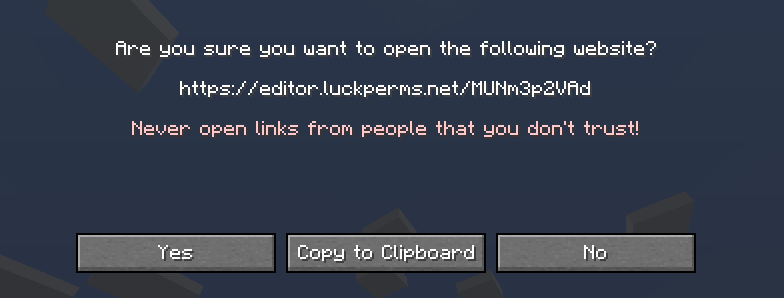
The web editor isn't just a "convenience", it is a powerful audit tool. It allows you to visualize your entire permission tree without the clutter of a chat window.
Pro-Tips for the Web UI:
- • Mass Addition: Use the search bar to find all `essentials.*` nodes and add them at once.
- • Node Lifetime: Set "Expiry Times" for ranks. For example, if someone buys a 30-day VIP rank, the web editor allows you to set the duration directly on the node.
- • Security History: The editor tracks who made changes, which is vital for large staff teams.
4. Troubleshooting with "Verbose" Mode
The most common support request we see on Deduck is "I gave them the permission, but it still says access denied." In 2026, the solution is the Verbose Engine.
Type /lp verbose record and then have the player try the command that is failing. LuckPerms will log every single permission check performed by the server in real-time. Type /lp verbose upload to get a link to a report. This report will tell you exactly which node the plugin is looking for (often it’s slightly different than you expect) and why it was denied (e.g., a "False" node inherited from a higher-weight group).
5. Multi-Server Sync: MySQL & BungeeCord
If you are scaling your community across multiple Deduck instances, you don't want to re-configure permissions for every server.
- Storage Logic: Switch your
storage-methodtoMySQL. This allows all your servers to pull from the same central source. - Messaging Service: When you change a permission on Server A, use the built-in "Messaging Service" (Redis or MySQL) to tell Server B to reload instantly. This prevents the "I got promoted but it hasn't updated yet" lag.
6. Hardening your Server: Security Best Practices
LuckPerms itself is secure, but a "lazy" configuration is a vulnerability.
- The "OP" Trap: Never give yourself or your staff
/op. Instead, give the owner group the*(wildcard) permission. This ensures that every action is logged by LuckPerms. - Admin Lock: Restrict
/lpcommands to a specific IP address or use 2FA plugins that interface with LuckPerms node meta to "unlocked" admin permissions only after 2FA is verified. - Contextual Safety: Use the
world=[name]context to prevent "Creative Mode" permissions from bleeding into your survival worlds.