
Mastering the server.properties file
Your server's "brain" is the server.properties file. This guide breaks down every essential setting so you can fine-tune your world exactly how you want it.
Important Note: Before editing this file, please STOP your server. If you edit it while the server is running, your changes might be overwritten when the server eventually stops or restarts.
The server.properties file is a simple text file located in your server's root directory. It follows a key=value format. If you make a mistake, don't worry, you can always delete the file, and Deduck will generate a fresh one with default settings the next time you start your server.
The Essentials: Gameplay Settings
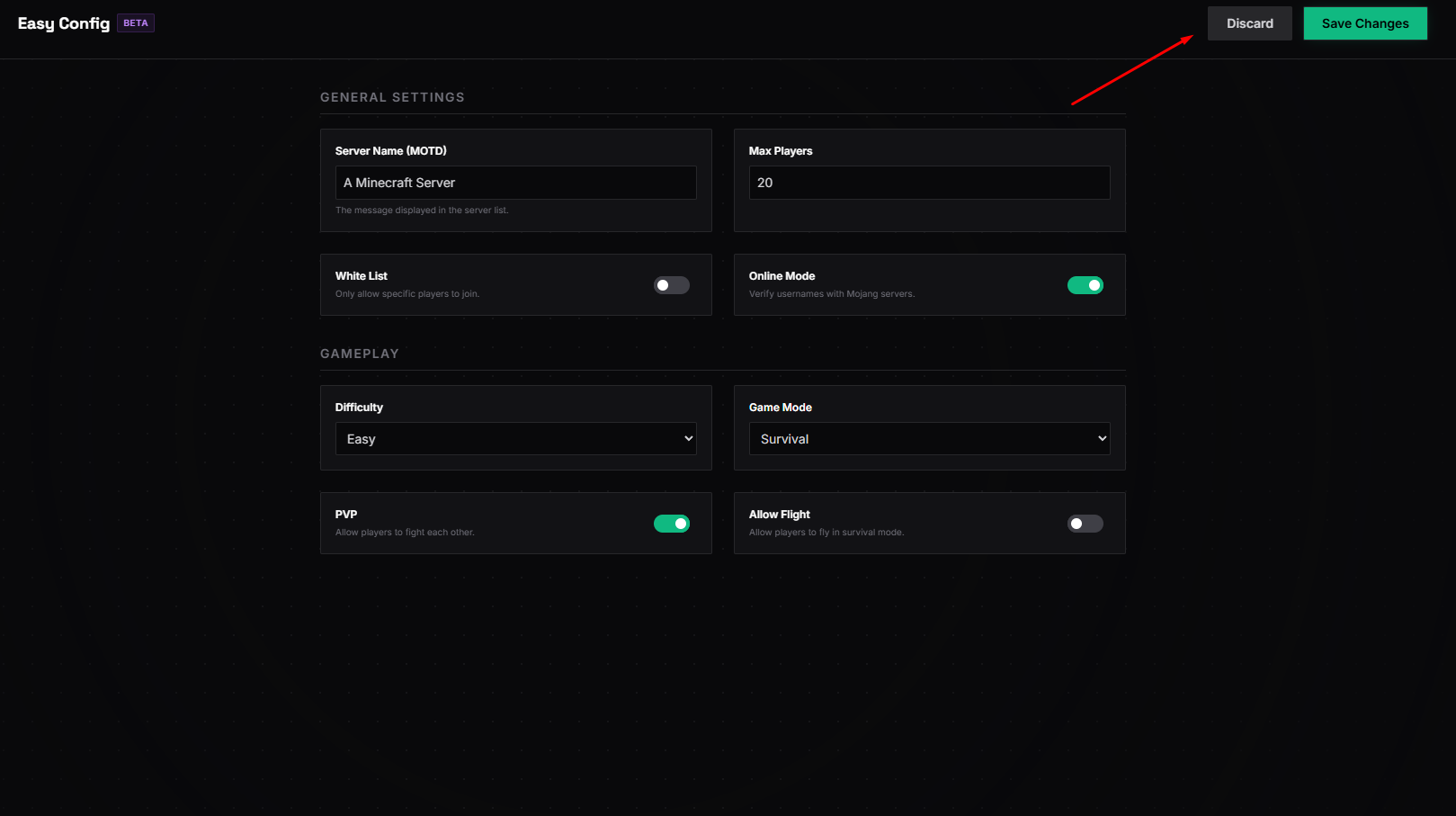
Game Mode
Sets the default gamemode for new players. Options: survival, creative, adventure, or spectator.
Difficulty
Controls the world difficulty. If you want a challenge, set this to hard. This also affects how much damage mobs deal and whether you can starve.
PvP (Player vs Player)
If set to false, players won't be able to hit each other. Perfect for peaceful building communities.
Message of the Day (MOTD)
The "Message of the Day". This is the text that appears under your server name in the multiplayer list.
Technical & Performance Settings
Fine-tuning these settings can help your server run smoother, especially if you have many players online at once.
view-distance
How many chunks are sent to the player. For free servers, we recommend 8-10.
simulation-distance
The distance where crops grow and mobs move. Keeping this lower (5 or 6) saves resources.
max-players
The hard cap on joinable players. Setting this too high on a low-RAM server can lead to lag.
Advanced: Online Mode & Cracks
The online-mode=true setting is enabled by default. This tells the server to check against Mojang's official authentication servers.
Warning: Setting online-mode=false allows "cracked" clients to join, but it also disables official skin support and makes your server vulnerable to "UUID spoofing" where anyone can log in as anyone else unless you have an extra authentication plugin.
The "Oops" Button
If you've played with the settings and now the server won't start, the easiest fix is to go to your File Manager, rename server.properties to server.properties.old, and restart. The system will create a 100% working default file for you.
Advanced technical parameters for 2026
- network-compression-threshold=256: This determines the packet size at which the server starts compressing data. On high-speed Deduck nodes, increasing this to
512can reduce CPU usage at the cost of slight bandwidth increase. - max-tick-time=60000: The maximum number of milliseconds a single tick can take before the server watchdog kills the process. For modded servers, increasing this is vital to prevent "Watchdog Crashes" during world generation.
- sync-chunk-writes=true: In 2026, we recommend setting this to
falseif you have a robust backup system, as it significantly improves world saving performance. - use-native-transport=true: Only available on Linux-based hosting like Deduck. This uses high-performance Netty transport for internal networking.
Still confused about a specific setting? Ping us on Discord, we're happy to help you tune your config.