
Mastering File Manager & SFTP
From editing your console messages to uploading huge worlds, knowing how to manage your files is the bread and butter of being a server owner.
1. Using the Web File Manager
For quick edits, our built-in Web File Manager is perfect. You can find it on your Deduck dashboard. It has an integrated code editor with syntax highlighting for .yml, .json, and .properties files.
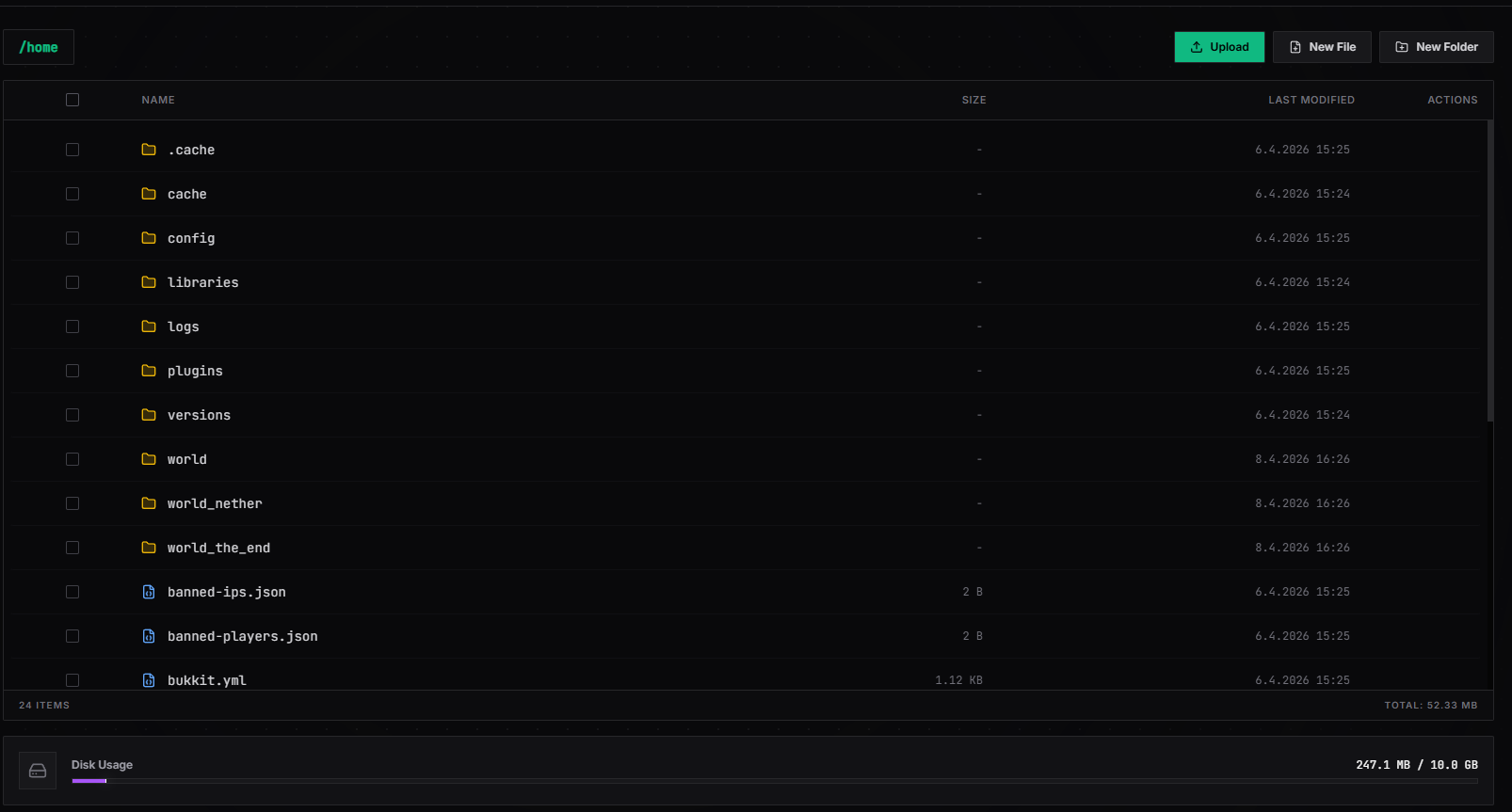
- Editing Files: Just click on the filename to open it.
- Uploading & Deleting: Small files can be uploaded directly through your browser. For larger worlds, we recommend using SFTP.
- Creating Folders: Use the "New Folder" button to organize your plugins or backup your world folders manually.
2. Using SFTP for Large Files
If you have thousands of files or a massive world to upload, SFTP (Secure File Transfer Protocol) is much faster and more reliable than a browser upload.
Recommended Software:
- FileZilla (Free): The most popular choice for Windows and Mac.
- WinSCP (Free): A great, advanced alternative for Windows.
- Cyberduck (Free): A clean, modern client for Mac and Windows.
3 How to Connect via SFTP
- Go to your Deduck dashboard and find the Settings tab.
- Look for your SFTP Host (e.g.,
sftp.deduck.de), Port (usually 2022), and Username. - Open your SFTP client (like FileZilla) and enter these details.
- Your SFTP Password is the same as your Deduck dashboard password.
Tips & Best Practices
- Avoid Zipper-Bombing: When uploading worlds, zip them up first! It's much faster to upload one
world.zipfile and unzip it on our server than it is to upload 10,000 tiny chunk files. - The "plugins" Folder: This is where almost everything happens. If you're looking for a specific plugin's config, look in
/plugins/[PluginName]/config.yml. - Backups are King: Before making any massive changes (like updating your server's version), use the File Manager to compress your
worldfolder. That way, if something breaks, you can just unzip your old world and keep playing.
Need more technical details on SFTP ports or permissions? Reach out to us on Discord.